Getting started
RollCut is a practical app for planning sheet and coil layouts in real workshops. It is designed to be simple, predictable and readable on site.
Quick start
- Choose mode: Roll or Sheet.
- Enter material dimensions.
- Add parts and quantities.
- Export PDF and cut.
Tip: Keep your PDF open on the phone near the machine - it is made for that.
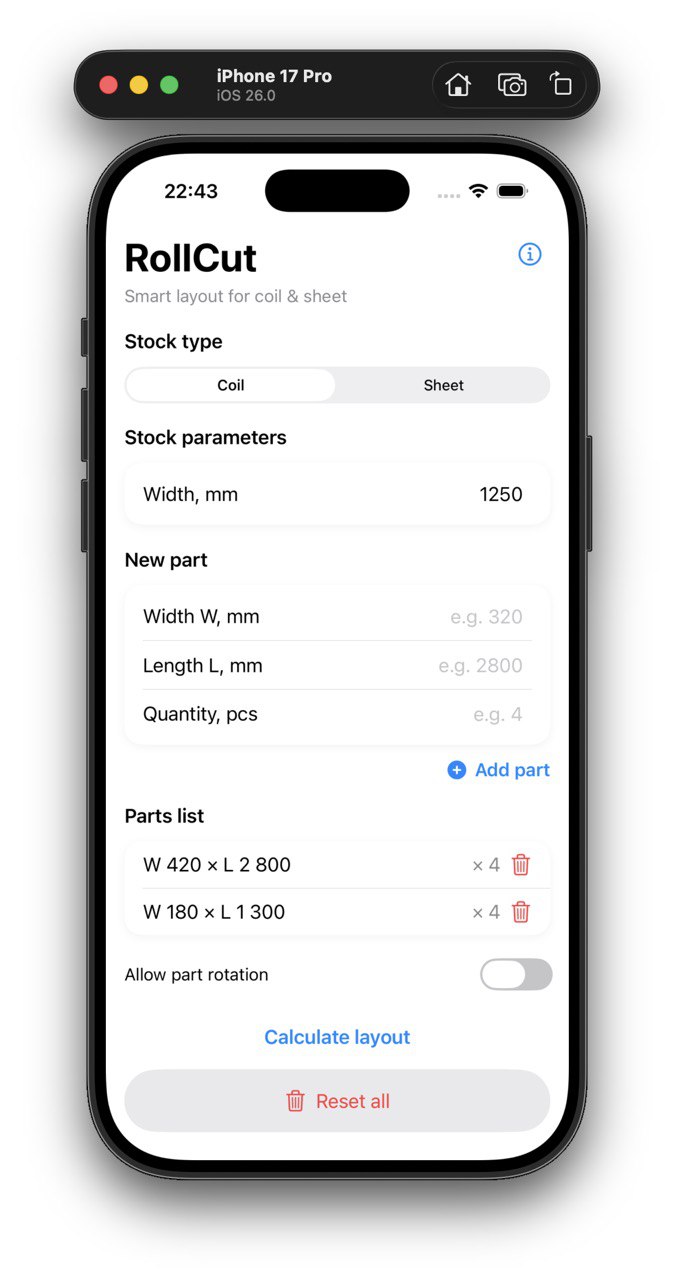
App screen (demo). Replace later with final screenshots.
Install and beta (TestFlight)
Early versions of RollCut can be distributed via TestFlight for iPhone users.
Step 1. Install TestFlight
- Open the App Store on your iPhone.
- Search for TestFlight and install it.
Step 2. Join the RollCut beta
When the beta link is available, it will look like this:
Example: https://testflight.apple.com/join/XXXXXXXX
Step 3. Send feedback
- Use the app on real projects.
- Export PDFs and check readability on site.
- Send notes to support@rollcut.app.
Materials and modes
RollCut supports two workshop-friendly modes.
Roll mode
- Material has a fixed width and comes from a coil.
- RollCut calculates the total coil length needed.
- Great for roofing, standing seam, flashings, custom details.
Sheet mode
- Material has fixed width and fixed length sheets.
- RollCut shows how many sheets are required.
- Works for plywood, chipboard, metal sheets and more.
Entering parts
Parts are entered in a simple table - exactly how workshop masters usually think.
- Width - across material width.
- Length - along coil or sheet length.
- Qty - number of pieces.
- Rotation - allow or forbid rotation when direction matters.
Layout logic
RollCut is not heavy CAD. It focuses on layouts that are easy to follow and cut in the workshop.
- Predictable placement, clear strips and rows.
- Rotation can be applied when allowed to reduce waste.
- Result is optimized for readability first, not only for maximum nesting density.
PDF export
PDFs are made to be readable on phones and printable on A4 or Letter.
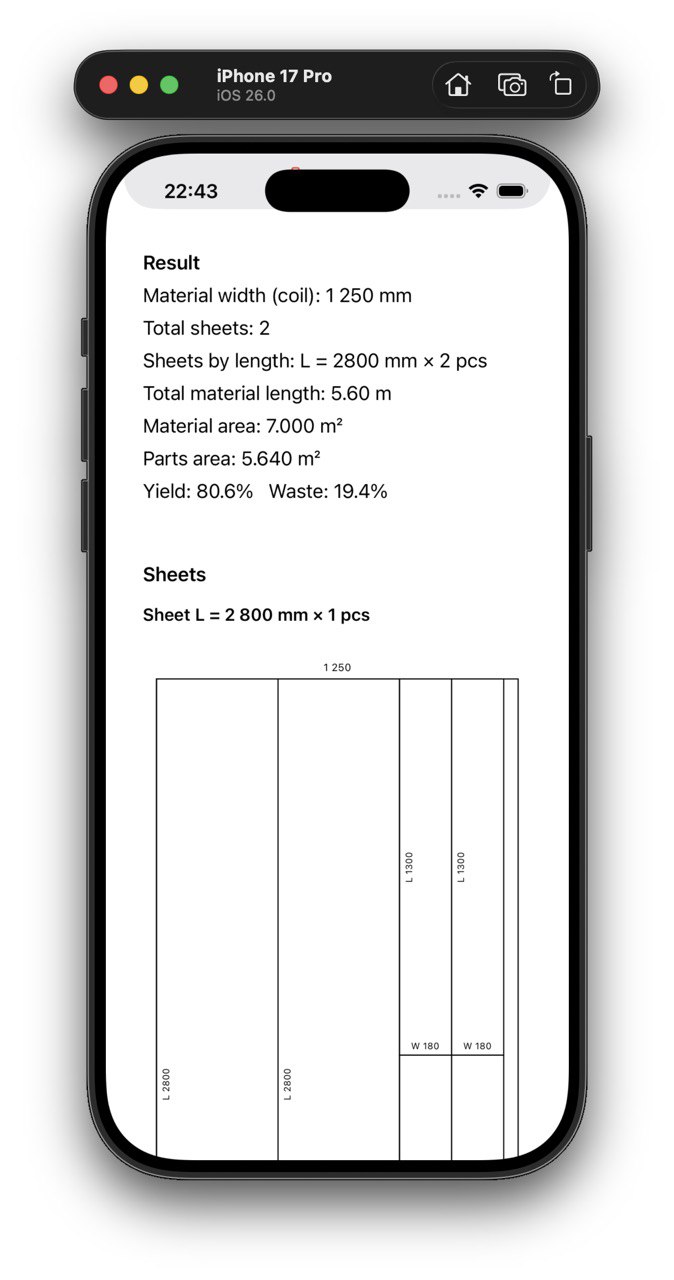
PDF example on iPhone (demo).
What is inside the PDF
- Material width and mode info.
- Layout scheme for each sheet or coil cut.
- Clear dimensions for fast cutting.
- Material usage and waste estimate.
Examples
This section will grow with real cases from workshops and roofing crews.
- Standing seam details from coil
- Parapet caps and flashings
- Chimney metal parts
- Chipboard and plywood layouts
Release notes
Version 0.1 (beta)
- Roll and Sheet modes
- Parts table with rotation control
- PDF export for workshop use
Contact and support
RollCut is built with feedback from real workshop professionals.
- Email: support@rollcut.app
- Main site: rollcut.app